How to Add Text to Cells in Google Sheets
Need to add text before or after cell values in Google Sheets? Maybe you want to add a currency symbol, a label, or a file extension to hundreds of cells. There are two ways to do it: formulas (which require a helper column) and Text Tools (which edits cells in place).
Method 1: Using formulas
Create a helper column
In an empty column next to your data, you will write a formula that combines your text with the cell value.
Write a CONCATENATE formula
Use the & operator or the CONCATENATE function to join your text with the cell reference. For example, ="prefix "&A2 adds text before the value, and =A2&" suffix" adds text after.
="$"&A2 or =CONCATENATE(A2, " USD")
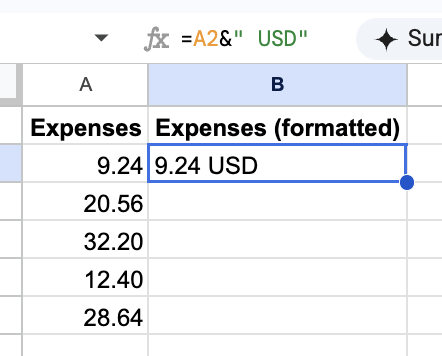
Copy down and paste as values
Drag the formula down to fill all rows. Then copy the helper column, paste it over the original column using Paste Special > Values Only, and delete the helper column.
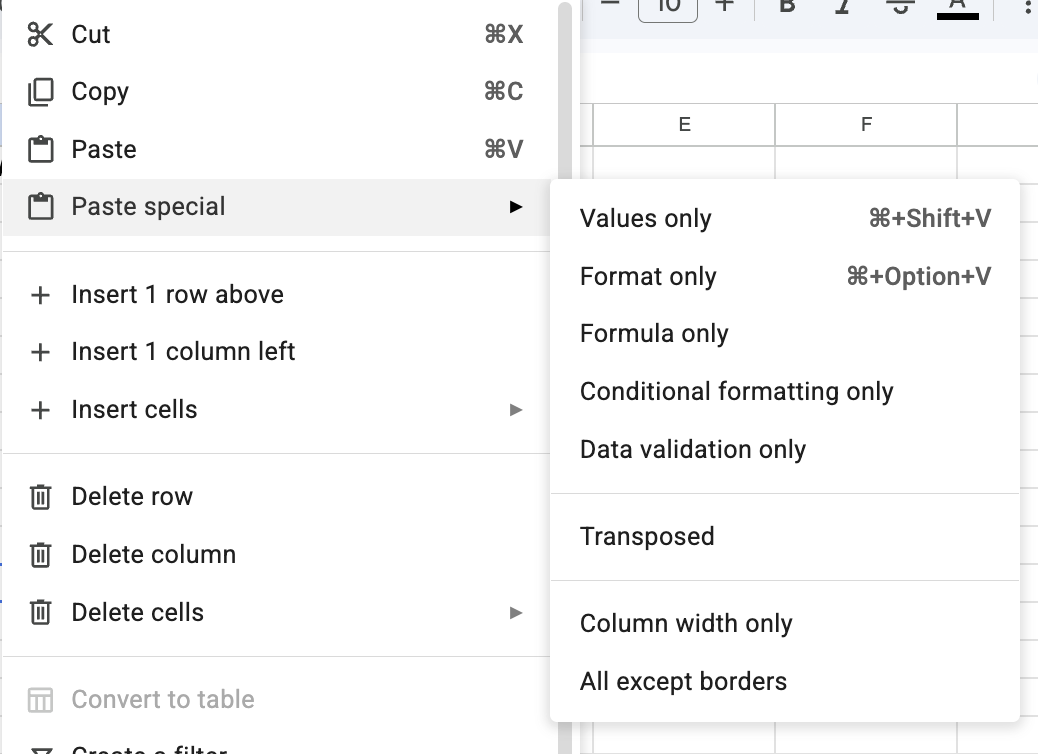
This works but requires a helper column, manual copy-paste, and careful cleanup. For large datasets or repeated tasks, it gets tedious fast.
Method 2: Using Text Tools (faster)
Text Tools lets you add text to cells directly, without helper columns or formulas.
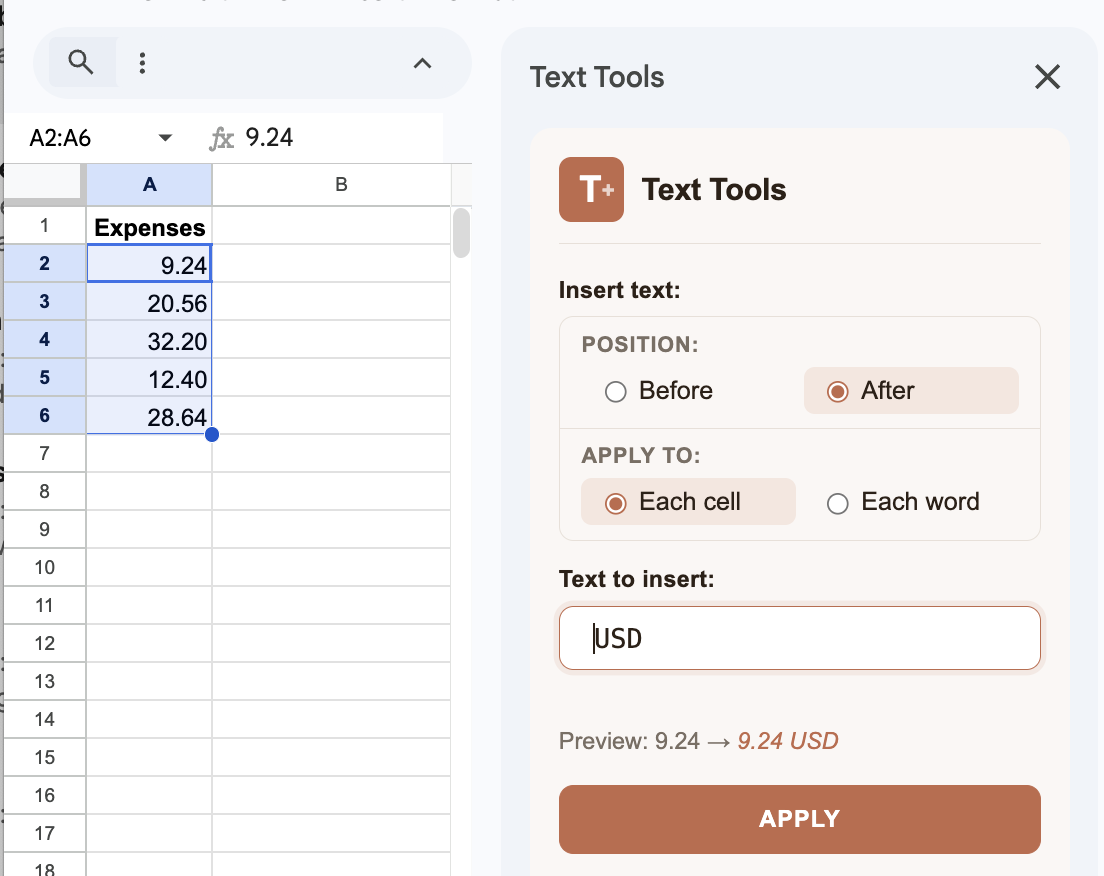
Select the cells you want to edit in your spreadsheet.
Open Text Tools from the Extensions menu. Type the text you want to add and choose whether to insert it before or after cell values.
Preview the changes in real time, then click Apply. All cells update instantly.
Frequently asked questions
Can I add text to multiple cells at once in Google Sheets?
Yes. With formulas, you write one formula and drag it down. With Text Tools, you select all the cells you want to edit and apply the change in one click.
Will adding text to cells overwrite my existing data?
With formulas, the original data stays in place since results go into a helper column. With Text Tools, the add-on edits cells in place, but Pro users can duplicate the sheet first as a safety net.
What if my cells contain formulas?
Standard formulas only work with cell values, not the formulas themselves. Text Tools Pro can process formula cells directly, editing the formula text rather than just the displayed value.